


1. In the Detail View of the created work order, select the Inventory where you can view, add, or modify the inventory resources configured for the service
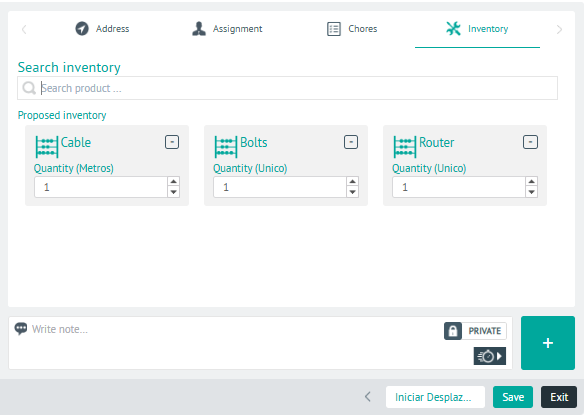
⚐ Note: To display available inventory resources, Configure the products (spare parts) required for order management
2 In the inventory detail view, you will have the field for add Private or Public Notes.
3. When you finish setting up the inventory for the order, click Save, to confirm the changes made.