


You can import users or groups from the business directory and assign them a role within the application.
⚐ Note: Once the integration of the business directory has been configured and the information has been synchronized with the Aranda FIELD SERVICE AFLS database, the system will allow you to import users into the application.
For more information, see the Vendor Configuration (LDAP, Microsoft Entra ID) for active directory user synchronization processes.
1. To import LDAP Users as Mobile users, log in to the AFLS web console, in the Administration from the main menu, select the Users and the category Mobile Users. In the information view, select from the drop-down menu the Import LDAP Users
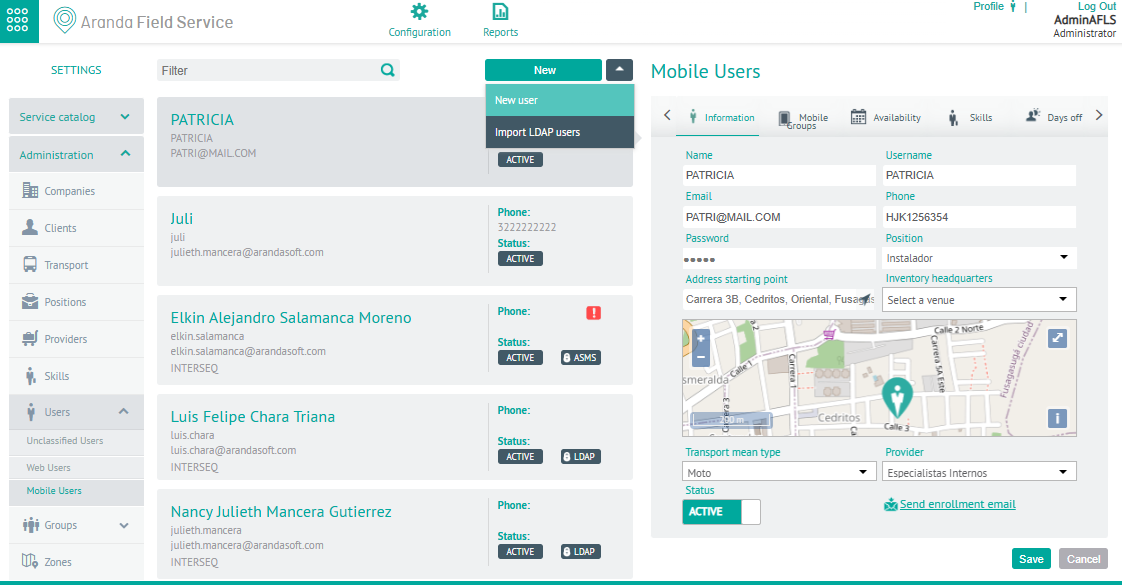
Import
2. In the Mobile User Detail View, select the Import, where you can associate users to a mobile group, establish the availability and skills of the specialist.
- In the text area, type the name of the user or users to be imported and who were previously synchronized from your business directory. When entering the user’s name, the system will display a list with the matches found.
- In this section it is possible to select the number of users you want. These selected users will be presented in the Associated Users area and you will have the possibility to remove them from the list in case of error.
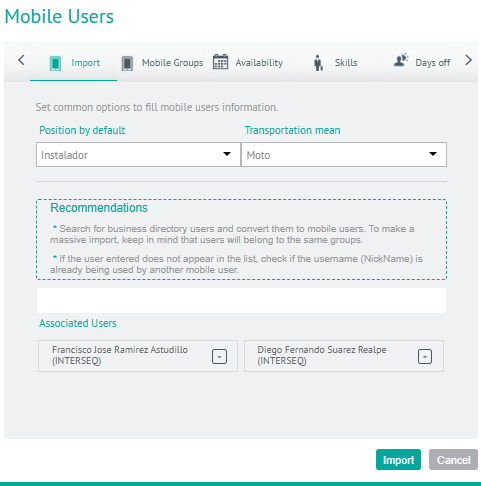
3. When you finish configuring the mobile users to import, click Import in the Detail View of the AFLS Configuration Console, to confirm the changes made.
See Imported Users
1. To check the imported users, go to the AFLS web console, in the Administration from the main menu, select the Users and the category Mobile Users, you will be able to view in the list of users, the records with the LDAP.
⚐ Note: The basic information of imported users will not be modifiable in AFLS, since it is only updated from the business directory.
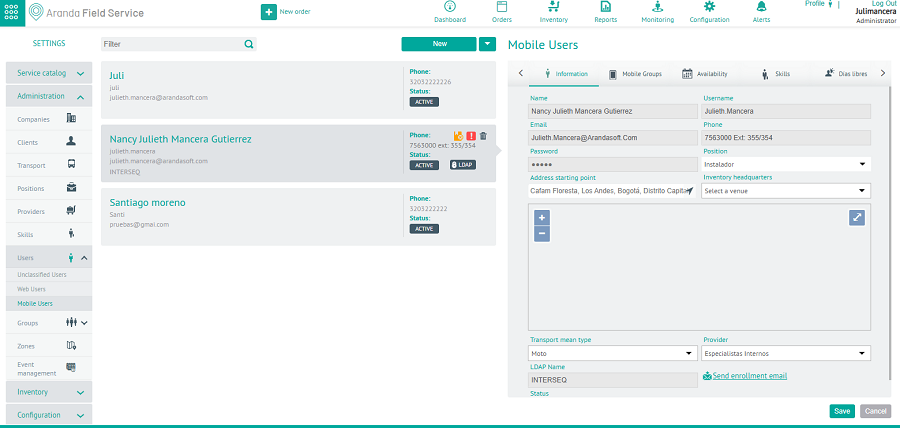
⚐ Note: As in web user creation, the LDAP users that are imported take the existing configuration, that is, they take the availability, skills, associated mobile groups, specialist position, and mode of transport that are already configured for the mobile users.