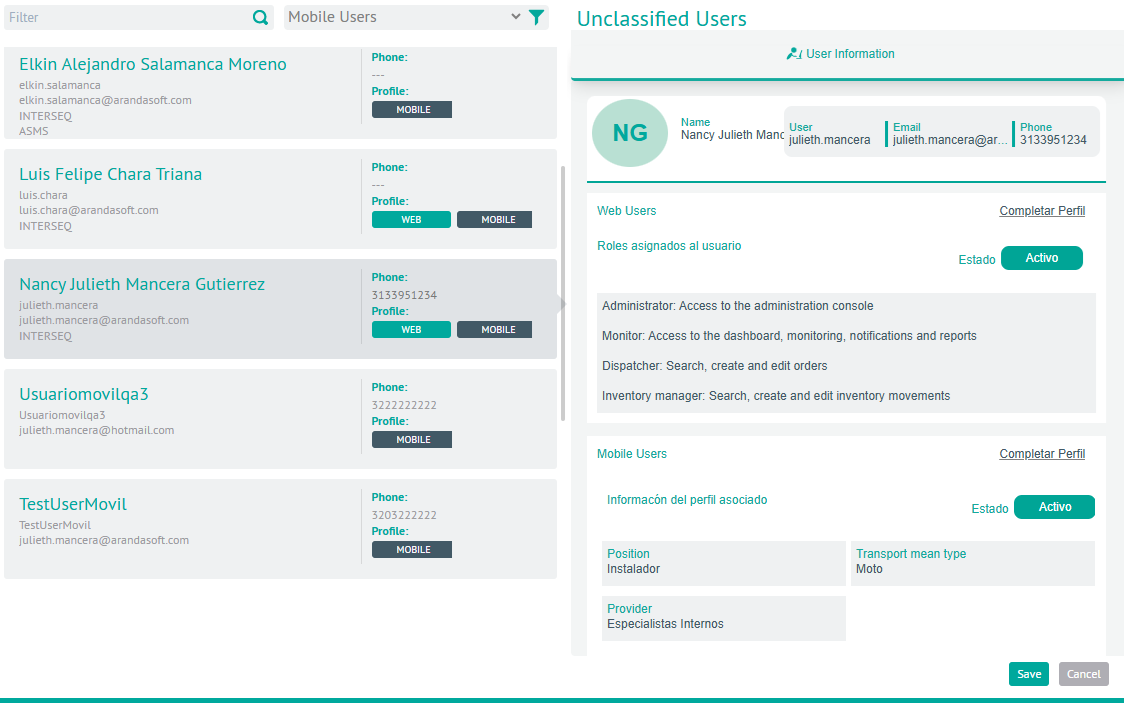
1. To manage unclassified users, log in to the AFLS configuration console in the Administration from the main menu, select the Users and the category Unrated Users.
2. In the customer information view, select one of the filters to display the available users.
- With the Query filter you can search for users by name, username or email. Add the query value and press the “Enter” key or select the
 .
.
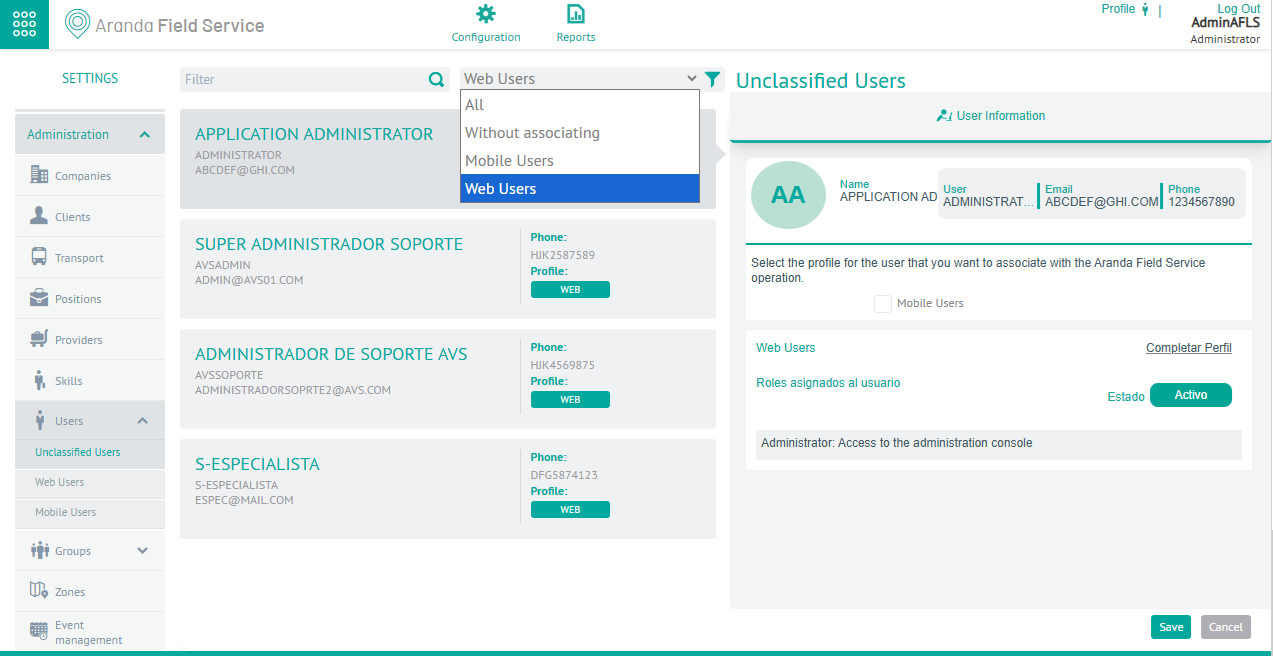
- With the User Type Filter, you can search for users according to the following criteria:
 .
. - All: Generates the query of all users regardless of the assigned profile.
- Unassociated: Generates the query of all users who do not have an associated profile in the Aranda FIELD SERVICE application.
- Mobile Users: View all users who have an associated roaming profile
- Web Users: View all users with an associated web profile
⚐ Note: In the section of unclassified users it is not possible to create or delete users, it can only be associated as a web user or mobile user to the operation of Aranda FIELD SERVICE.
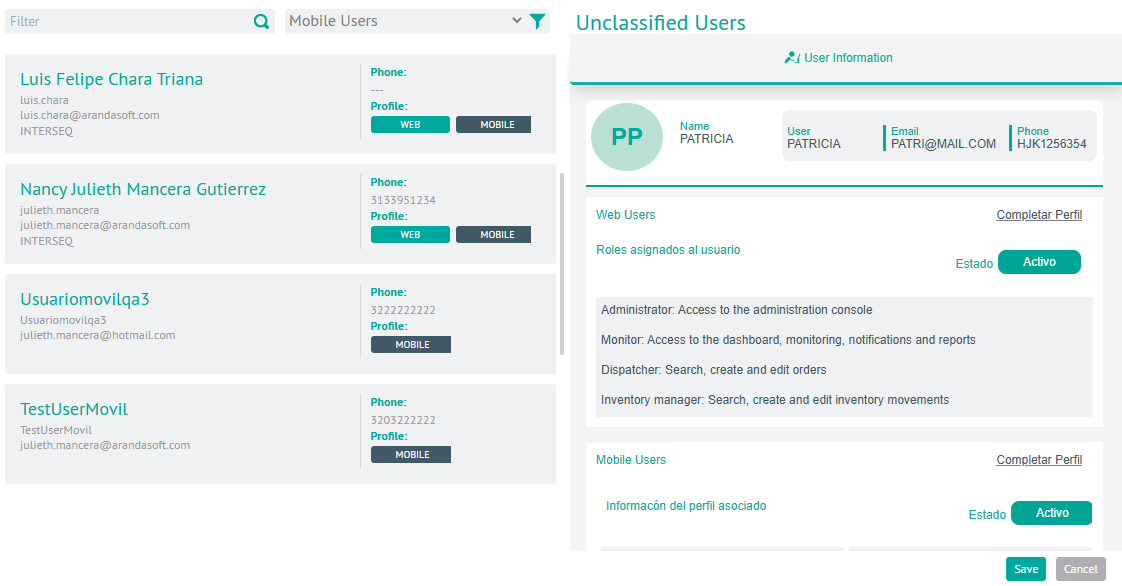
3. In the information view, select an available user, according to the selected filter, and in the detail view in the User Information you will be able to view information with basic data such as Name, Username, Mail and Telephone.
Assign User Profile
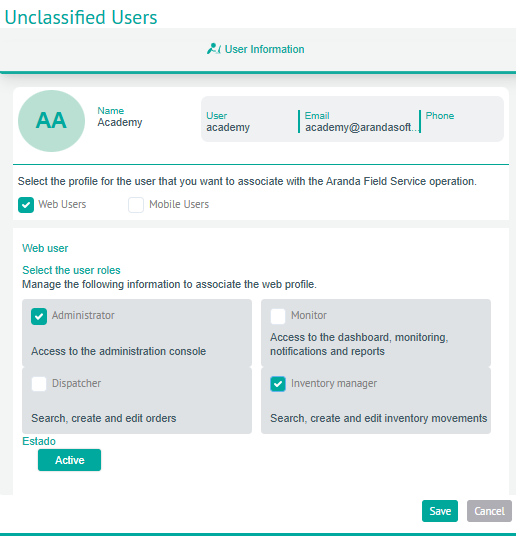
4. In the User information detail view, you can assign a user profile (Web, Mobile), which you want to associate with the Aranda FIELD SERVICE AFLS operation, with two options:
Web Users
5. When you activate the profile Web Users You can select the roles you want to assign to the web user’s profile. (Administrator, Dispatcher, Monitor, Inventory Manager).
Mobile Users
6. When you activate the profile Mobile Users you will be able to define the Position, Type of transport and Supplier that you want to assign to the mobile user profile.
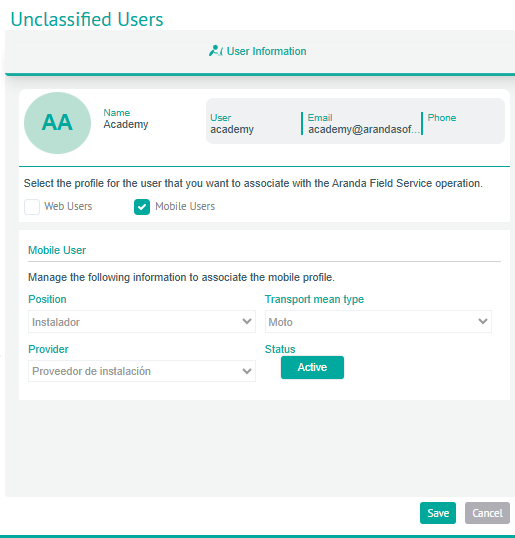
7. After activating the profile to the selected user and setting the related information, in the User information detail view, click the Save; View the Complete Profile which is responsible for redirecting to the corresponding module, either Web Users or Mobile users, to complete the information that is required for the user to be part of the operation of Aranda FIELD SERVICE AFLS.
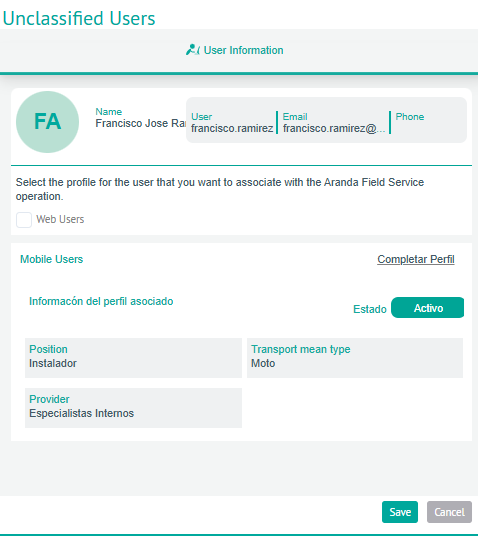
⚐ Note: If the user consulted already has the roles assigned (web, mobile), in the user’s information detail view, profile assignment will not be enabled and the viewing option will only be for consultation.